Filter Everything | WordPress/WooCommerce Product Filter
Get Unlimited Downloads for $16.50/mo
Pro ChoiceNeed multiple templates, audio tracks, and stock graphics? Unlock 14M+ digital assets with an Envato Elements subscription.
Product Overview & Capabilities
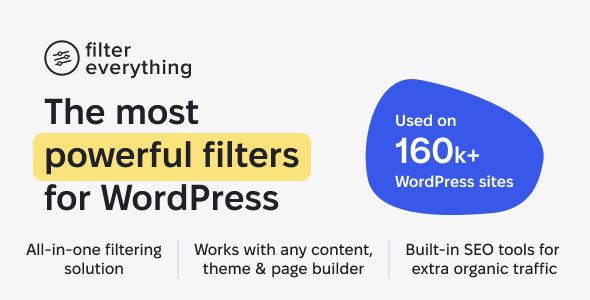
Your visitors find what they need in seconds.
You get more out of the traffic you already have.
Filter Everything PRO filters any content on your WordPress site: WooCommerce
products, posts, custom post types and large catalogues. 10 filter types,
horizontal or vertical layouts, instant AJAX or an Apply button, step-by-step
hierarchical filtering: whatever your case needs is already in the plugin.It works with any theme and page builder, and sets up in minutes without a line of code. Built-in SEO tools turn your filtered pages into extra organic traffic.

Latest version: 1.9.8 from 2 November 2026 — see what’s new →
Is Filter Everything the best filter plugin for WordPress?


Key Features
- Complete filtering solution — covers all filtering needs without extra add-ons. Filters any content on your WordPress site by any criteria.
- Works with almost any setup — supports custom post types, custom WP_Query, taxonomies, custom fields, ACF, page builders (Elementor, Divi, etc.), caching plugins and more.
- Built-in SEO tools — generate indexable filter pages, clean URLs, and bring additional traffic from search engines and AI-powered services.
Core features at a glance
- Filter any WordPress post type
WooCommerce products, posts, pages, custom post types, listings, portfolios and more. - Filter by anything
- Price, sale price, any numeric custom field (length, width, weight, calories, etc.)
- Product categories, tags, custom taxonomies
- WooCommerce Attributes (size, color, brand, material, etc.)
- Product status: On sale, In stock, Downloadable, Backordered, Featured, etc.
- Product type, shipping class, visibility, brand
- Post date, author, featured image, views count
- Any custom taxonomy or custom field in WordPress.
- Works on any page
Archive pages, shop pages, custom templates, pages created with builders (Elementor, Divi, WPBakery, Oxygen, Beaver Builder, etc.), as well as pages with custom WP_Query. - Supports multiple filter views
Checkboxes, radio buttons, labels lists, dropdowns, range sliders, rating view, color swatches, brand logos and more. - Mobile-friendly UI
Collapsible filters, mobile pop-up / drawer, smart scrolling and improved styles for touch devices. - AJAX filtering
Filter results without reloading the page. Works fast even on large shops and is compatible with popular caching plugins.

WooCommerce superpowers
- Smart filtering by variations — let customers filter by variation attributes (color, size, etc.) correctly.
- Price & sale filters — flexible price ranges, sale-only filters, stock status, product type and more.
- Supports big catalogs — built with performance ⚡️ in mind and tested with stores that have tens of thousands of products.
- Custom sorting dropdown — add your own sorting options and sort filtered results by any criteria.
SEO & pretty URLs
Most filter plugins break SEO. Filter Everything PRO is different:
- Clean, human-readable permalinks for filtering result pages – e.g.
/smartphones/color-blue/brand-apple/ - Indexable filter result pages – you can safely allow search engines to index selected filtering combinations.
- SEO Rules engine – automatically generate unique H1 titles, meta titles and descriptions for filtering pages.
- Supports long-tail & “chunky middle” keywords – get additional organic traffic without extra manual work.
Compatible and tested with popular SEO plugins: Yoast SEO, Rank Math, All in One SEO, The SEO Framework, SEOPress and Squirrly SEO.
Works with your theme & page builder
Filter Everything PRO is tested with:
- Elementor & Elementor Pro
- Divi theme & builder
- WPBakery / Visual Composer
- Oxygen Builder
- Beaver Builder
- JetEngine
- Block Editor (Gutenberg) and Query Loop block
- And should work with any properly coded theme or builder.
You can filter content from custom WP_Query, theme loops and Query Loop block pagination.
Powerful UI options
- Horizontal or vertical layouts, 2–5 columns
- Color swatches & brand logos for visual filtering
- Step-by-step filtering with parent/child filters and dependent terms
- “Apply button” or autosubmit mode – choose behavior that fits your UX
- “Show more” links, folding, term search inside filter, and many fine-tuning options.
Built-in Search & Sorting fields
Combine search, sorting and filters for a more powerful user experience:
- Search through filtered posts (title, content, excerpt)
- Search by SKU in WooCommerce products
- Custom sorting dropdown — add your own sorting rules and sort results by price, date, rating, SKU, stock status, or any other criteria
Human support that actually helps
Fast responses from real experts during business hours.
No bots, no copy-paste answers — just practical help from the people who built the plugin.
Filter Everything PRO in action on live sites
- Demo store: clothing, electronics, variations
- Pharmacy store with 14K+ products
- IT Companies directory
- Furniture store with complex configuration
- Games collection and more
Translations & multilingual
The plugin comes with a .pot file and is already translated into:
- Ukrainian, Czech, German, French, Italian, Dutch, Polish, Spanish
Tested with WPML and Polylang, as well as multi-currency plugins like WOOCS and CURCY.
Advanced Custom Fields (ACF) support
Easily build filters based on ACF fields. Supported types include:
- Checkbox
- Radio
- Select
- Number
- True/False
You can turn complex structured data into user-friendly filters in minutes.
Multi-license
Please, write me PM to get more info about multi-license.
Free version
Free version is available on WordPress.org
Continuous updates & support
Filter Everything PRO is actively developed and regularly updated to stay compatible with the latest WordPress, WooCommerce and major plugins.
- Last update: 2 November 2026, version 1.9.8
- Security – A security fix related to how Filter Set and Filter data is stored and read, and to who is allowed to create or edit these items
- Dev – NEW: «Woo Discount Rules» option on the Settings tab, shown when that plugin is active — choose whether the Price and «On sale» filters should use the discounted prices (on by default, as before)
- Fix – Fixed very slow pages, including search results, on sites with Woo Discount Rules: a page with a Price or «On sale» filter made the plugin evaluate the discount rules for every product on every view (5–50 seconds on large catalogs); the discounted prices are now cached and recalculated only for the products or rules that changed
- Fix – Fixed the Range list counters of a numeric filter when the cheapest or the most expensive item has a fractional value (e.g. $1.75 with ranges 0–1.50 / 1.60–2.1): that item was counted in the wrong range, and the instant recount filtered it the same way, because the plugin replaced its value with the rounded slider bound
- Fix – Fixed the «On Sale» filter counters with Woo Discount Rules: a product discounted by a rule but without a sale price of its own was removed from «No» without being added to «Yes», so the two counters did not add up
- Fix – Fixed filtered category pages in a non-default Polylang language (e.g. /uk/product-category/…/) being 301-redirected to the default language as soon as a filter was applied — the plugin copied Polylang’s internal language condition into its own tax query, so Polylang resolved the queried category in the wrong language
- Fix – Fixed filters on sites where Polylang uses a separate domain or sub-domain for each language: filter links, chips and the Reset link pointed to the default language’s domain, and AJAX filtering returned «page not found» on the other languages’ domains
- Fix – Fixed the «What to filter» field of a Filter Set staying empty when the selected page is on another domain than the admin — for example a Filter Set of a language that Polylang serves from its own domain or sub-domain
- Fix – Fixed the Range list of a numeric filter accepting whole numbers only: its Min and Max fields now follow the precision of the «Slider Step» setting, so with a step of 0.01 you can create ranges such as 0 – 1.49
- Fix – Fixed filtering on Divi Theme Builder category archive templates whose Blog module shows the «Current Category» (Divi 4 and Divi 5): the filter widget and its counters reacted, but the Blog module kept listing all posts of the category
- Fix – Fixed the XML sitemap generation failing with «No URLs were found» when a Filter Set works on the archive of a custom post type (e.g. /jobs/), on multisite sub-sites and on sub-directory installs; a Shop page with a custom slug was skipped the same way
- Fix – Fixed the XML sitemap missing indexable pages: posts without an author (e.g. created by an import or an API connector) were not counted, and neither were posts assigned only to a term more than one level below the filtered one
You also get 6 months of support from the author with your purchase, with the option to extend it.
If you’re looking for a flexible, fast and SEO-friendly filter plugin for WordPress and eCommerce – Filter Everything PRO is a complete, all-in-one solution built to be the last filter plugin you’ll ever need.
Changelog – Latest Updates
    = 1.9.8 =
    *Release Date - 2 November 2026*
    * Security - A security fix related to how Filter Set and Filter data is stored and read, and to who is allowed to create or edit these items
    * Dev   - NEW: «Woo Discount Rules» option on the Settings tab, shown when that plugin is active — choose whether the Price and «On sale» filters should use the discounted prices (on by default, as before)
    * Fix   - Fixed very slow pages, including search results, on sites with Woo Discount Rules: a page with a Price or «On sale» filter made the plugin evaluate the discount rules for every product on every view (5–50 seconds on large catalogs); the discounted prices are now cached and recalculated only for the products or rules that changed
    * Fix   - Fixed the Range list counters of a numeric filter when the cheapest or the most expensive item has a fractional value (e.g. $1.75 with ranges 0–1.50 / 1.60–2.1): that item was counted in the wrong range, and the instant recount filtered it the same way, because the plugin replaced its value with the rounded slider bound
    * Fix   - Fixed the «On Sale» filter counters with Woo Discount Rules: a product discounted by a rule but without a sale price of its own was removed from «No» without being added to «Yes», so the two counters did not add up
    * Fix   - Fixed filtered category pages in a non-default Polylang language (e.g. /uk/product-category/…/) being 301-redirected to the default language as soon as a filter was applied — the plugin copied Polylang's internal language condition into its own tax query, so Polylang resolved the queried category in the wrong language
    * Fix   - Fixed filters on sites where Polylang uses a separate domain or sub-domain for each language: filter links, chips and the Reset link pointed to the default language's domain, and AJAX filtering returned «page not found» on the other languages' domains
    * Fix   - Fixed the «What to filter» field of a Filter Set staying empty when the selected page is on another domain than the admin — for example a Filter Set of a language that Polylang serves from its own domain or sub-domain
    * Fix   - Fixed the Range list of a numeric filter accepting whole numbers only: its Min and Max fields now follow the precision of the «Slider Step» setting, so with a step of 0.01 you can create ranges such as 0 – 1.49
    * Fix   - Fixed filtering on Divi Theme Builder category archive templates whose Blog module shows the «Current Category» (Divi 4 and Divi 5): the filter widget and its counters reacted, but the Blog module kept listing all posts of the category
    * Fix   - Fixed the XML sitemap generation failing with «No URLs were found» when a Filter Set works on the archive of a custom post type (e.g. /jobs/), on multisite sub-sites and on sub-directory installs; a Shop page with a custom slug was skipped the same way
    * Fix   - Fixed the XML sitemap missing indexable pages: posts without an author (e.g. created by an import or an API connector) were not counted, and neither were posts assigned only to a term more than one level below the filtered one
Full changelog you can find here
Keywords & Technologies:
256-Bit SSL Encrypted Checkout
Instant download access after payment